Everything your committee needs, in one system.
Ten chapters, in the order your committee works: from opening the call for papers to handing the package to your publisher. Jump to a chapter, or scroll from the start.
Website & call for papers
A conference page you can share from the first day of your call for papers.
A public page with your call for papers, deadlines with time zone, on-site, online or hybrid mode, venue and committee contacts. Build it with a block editor, no developer needed.
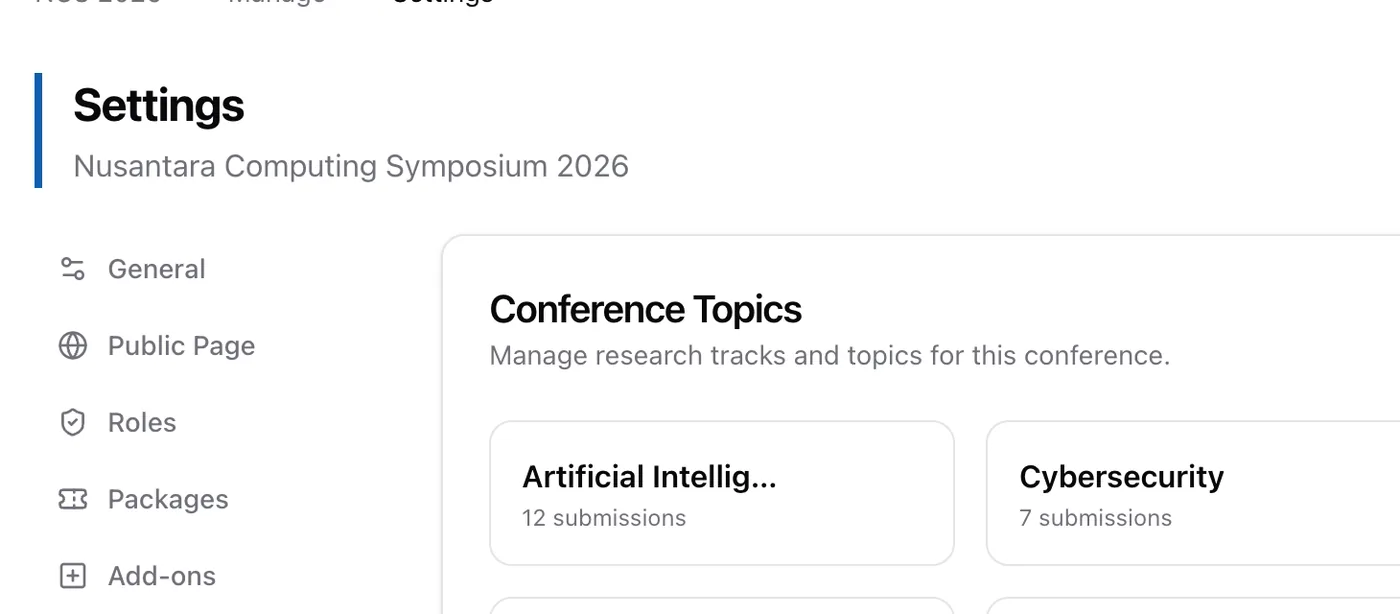
Set the topics authors choose from, and deadlines for abstracts, full papers, review, camera-ready and registration.
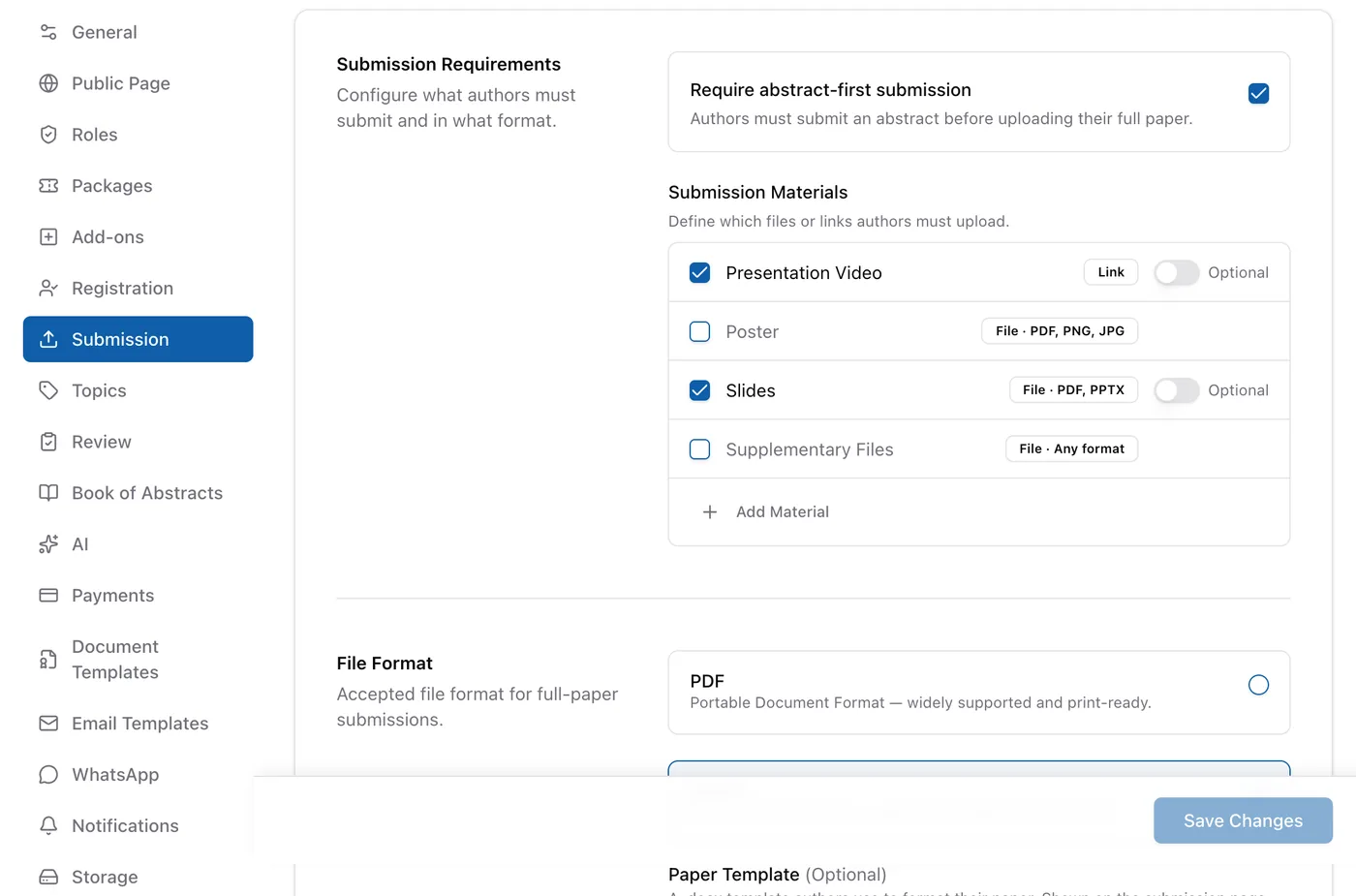
Choose abstract-first or straight to full paper, PDF or PDF and DOCX, and upload the paper template and copyright form for authors to download.
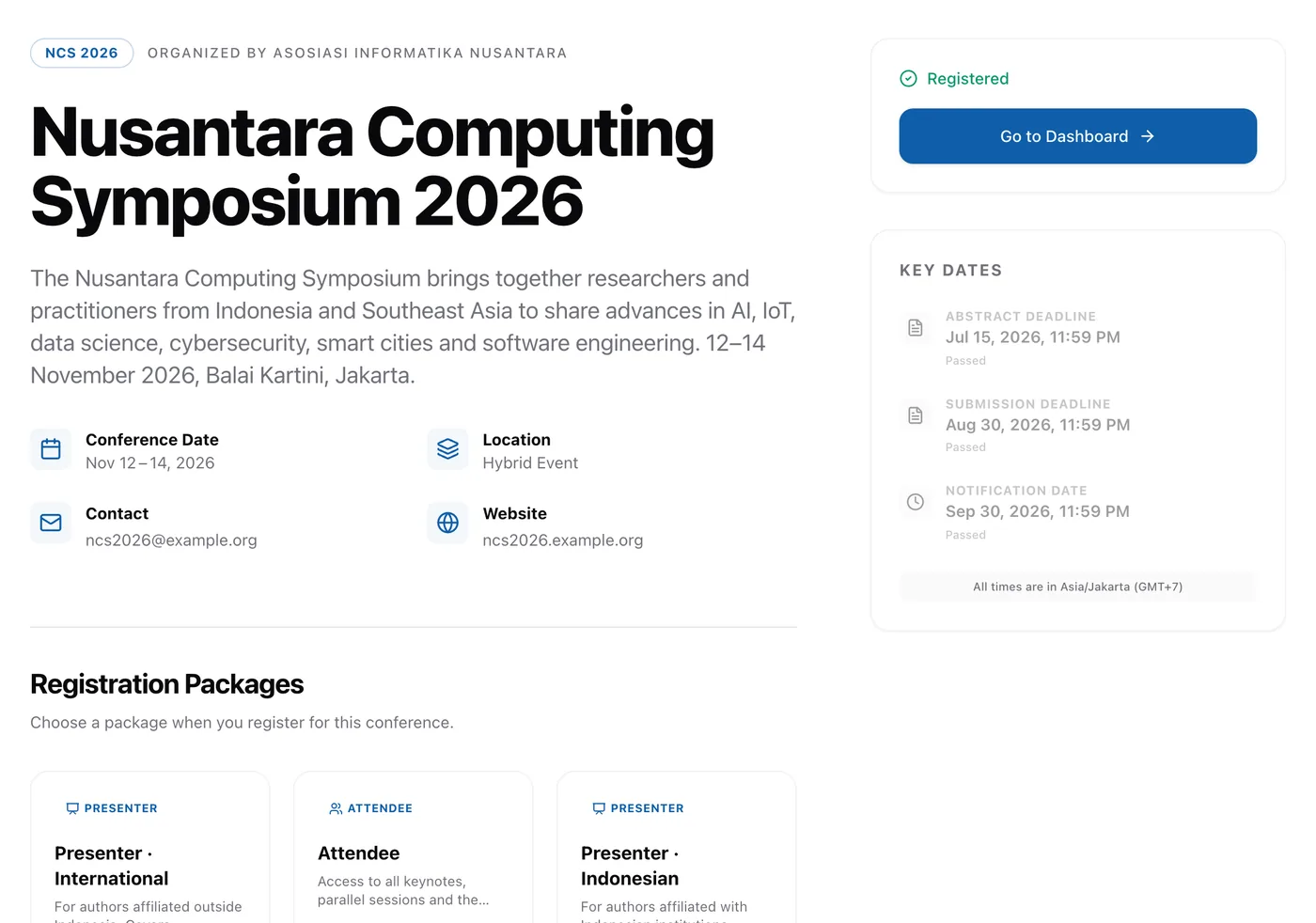
- Many conferences under one organization account
- Indonesian and English interface
- Branded subdomain, e.g. ui.confychair.orgPaid plans
- Conference logo, colors and faviconPaid plans
Submission
The abstract-first flow Indonesian conferences use, without tallying spreadsheets.
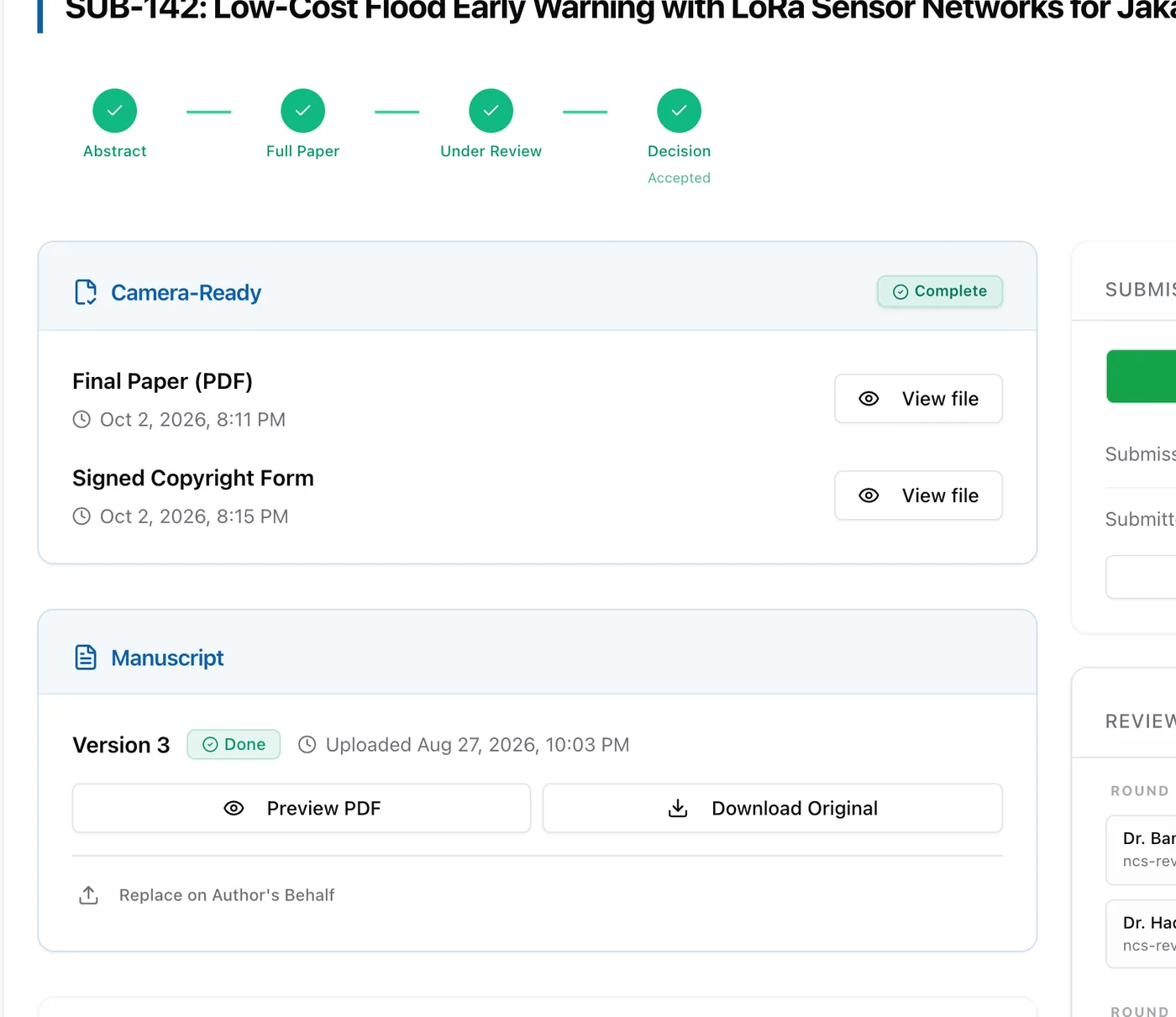
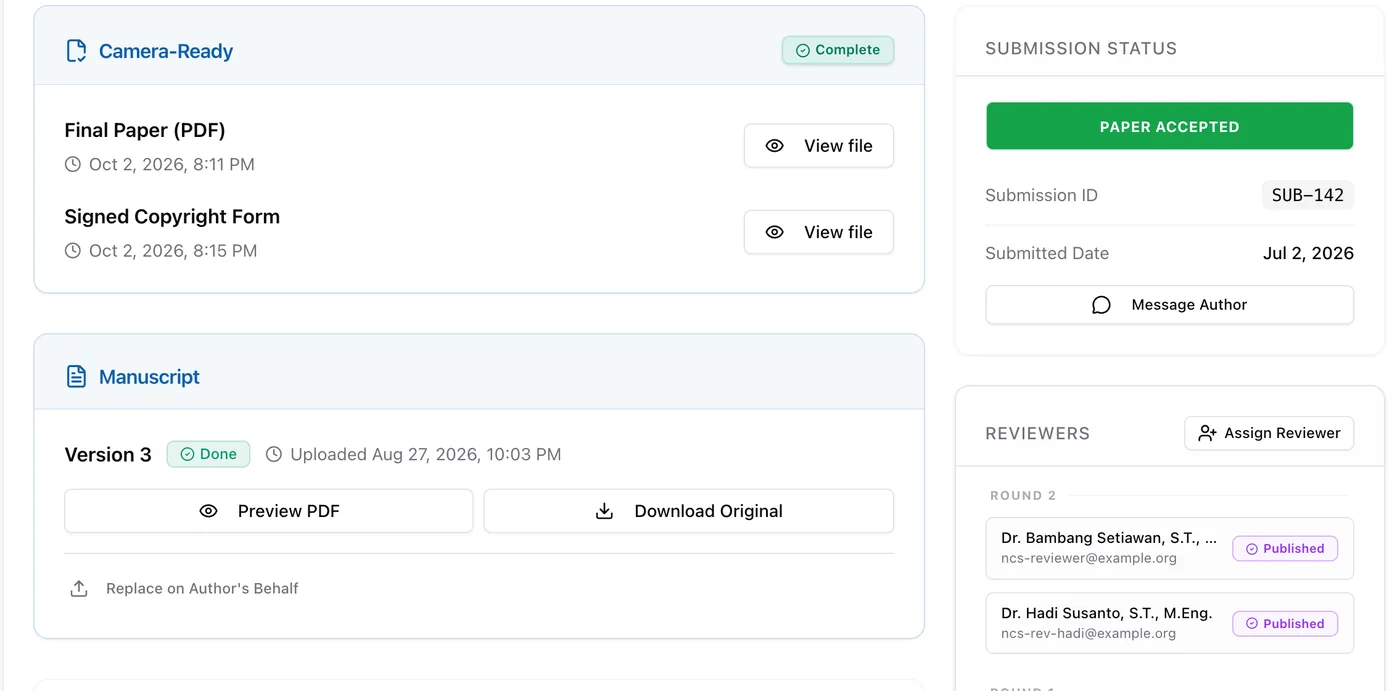
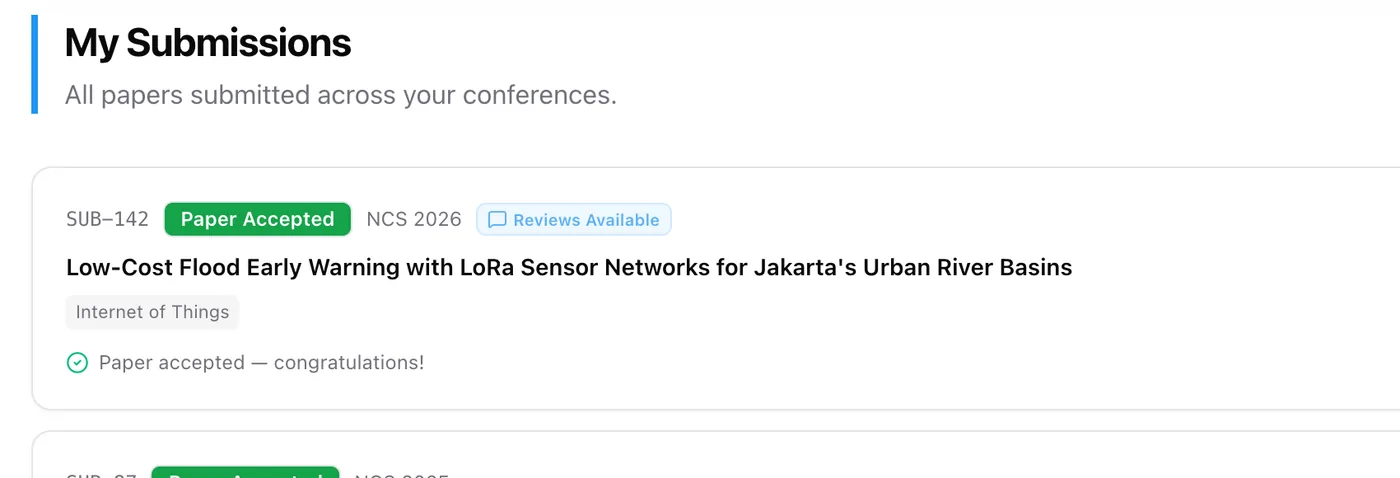
Authors send an abstract, then the full paper once the abstract is accepted. Every paper is numbered (SUB-142), with revision rounds and a saved version history.
Your committee can submit or upload a paper for an author without signing in as them, and every action is logged.
ORCID, country, CRediT roles, funding, ethics statements, data availability and AI-use disclosure are collected when authors submit.
- DOCX converted to PDF automatically
- Co-author confirmation by email
- Extra materials: slides, video or poster
- Presenter set per paper
Review & decisions
Fair, organized review, without passing files around by email.
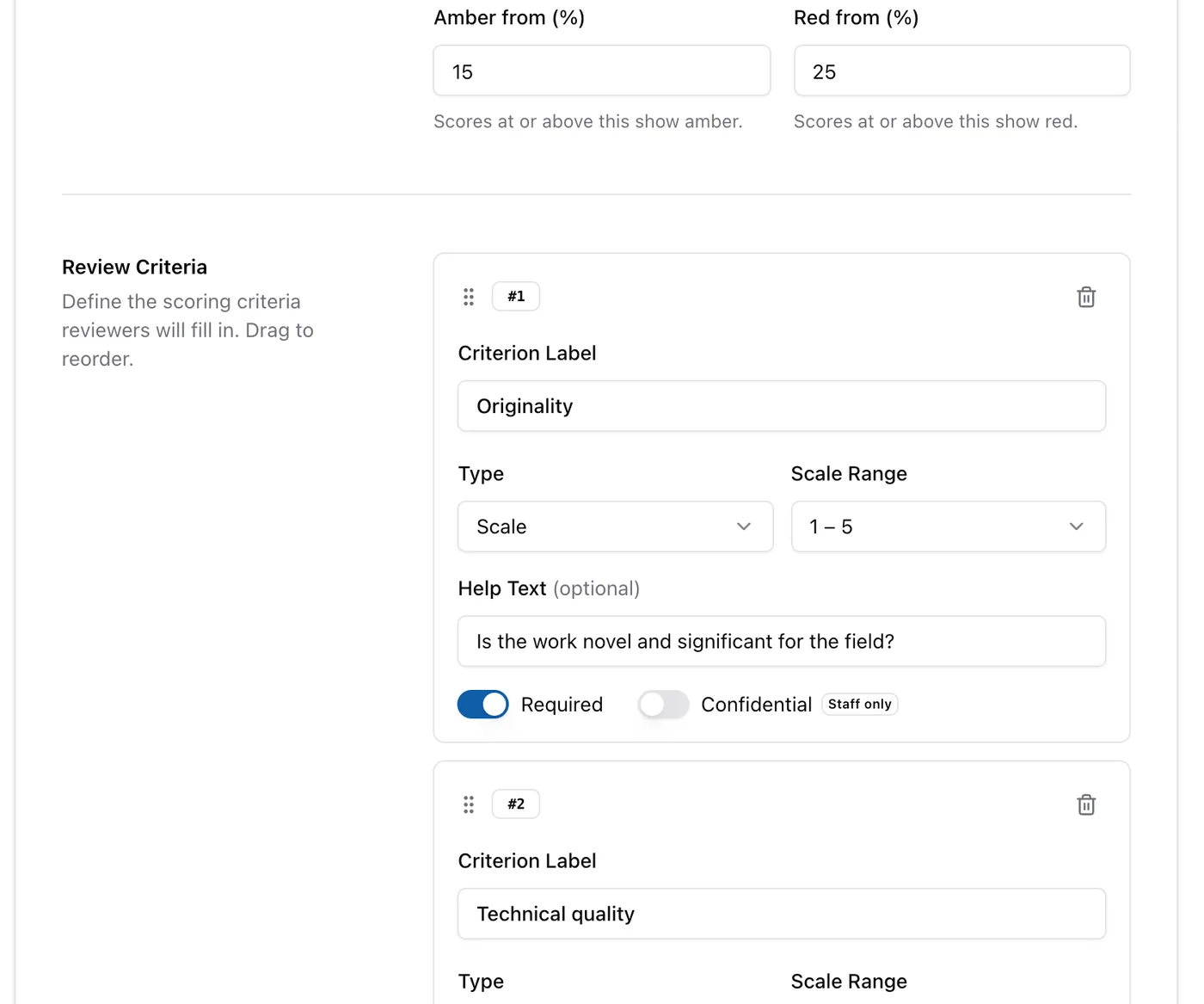
Build a form with rating scales, text, choices and checkboxes, including confidential fields only your committee sees.
Author identities are filtered out of the queries that serve reviewers, not merely hidden in the interface. Single-blind is available too.
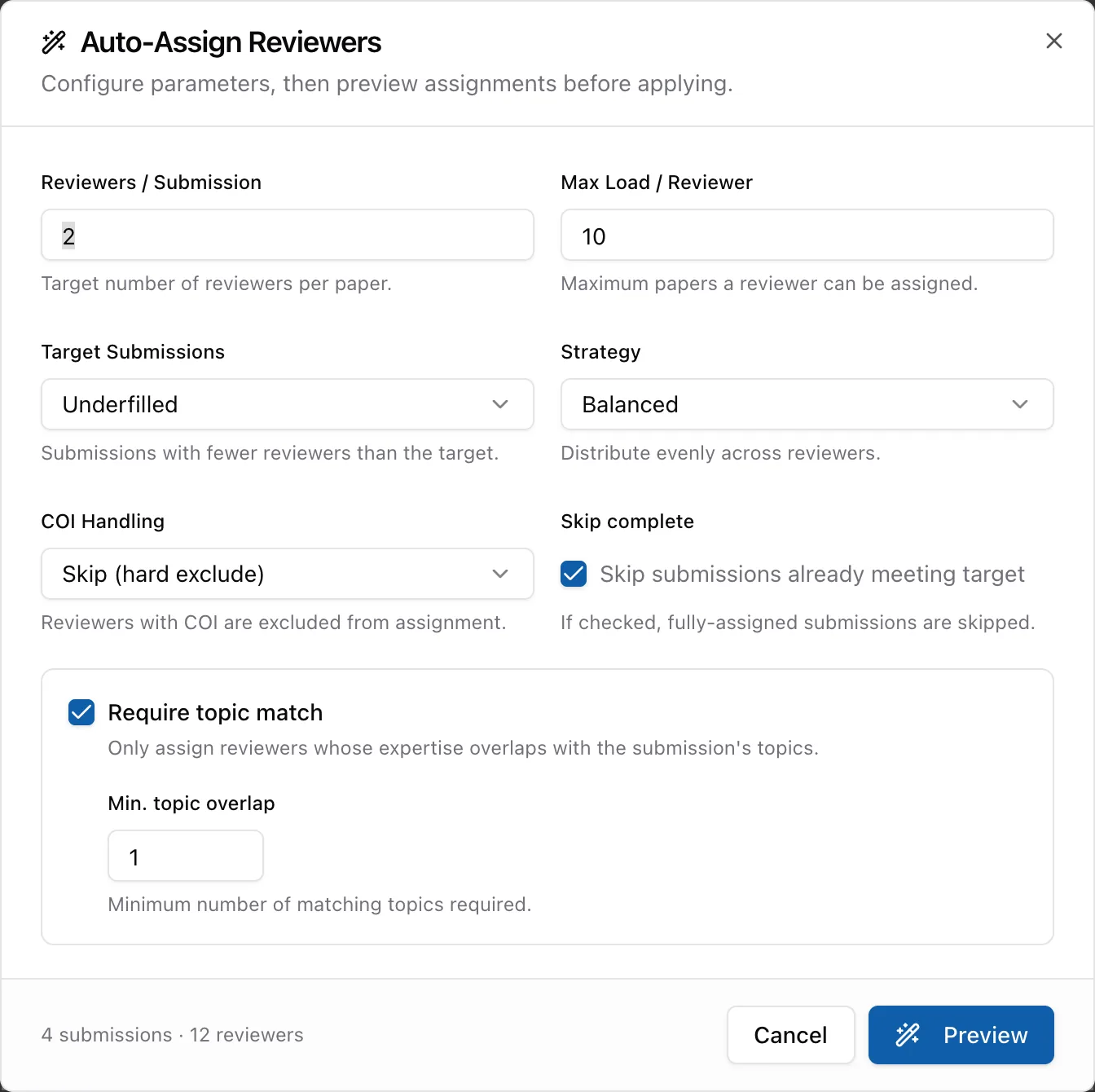
Reviewers are matched by topic within a load limit, with a balanced or fast strategy. Reviewers from the authors' own affiliation are skipped or flagged.
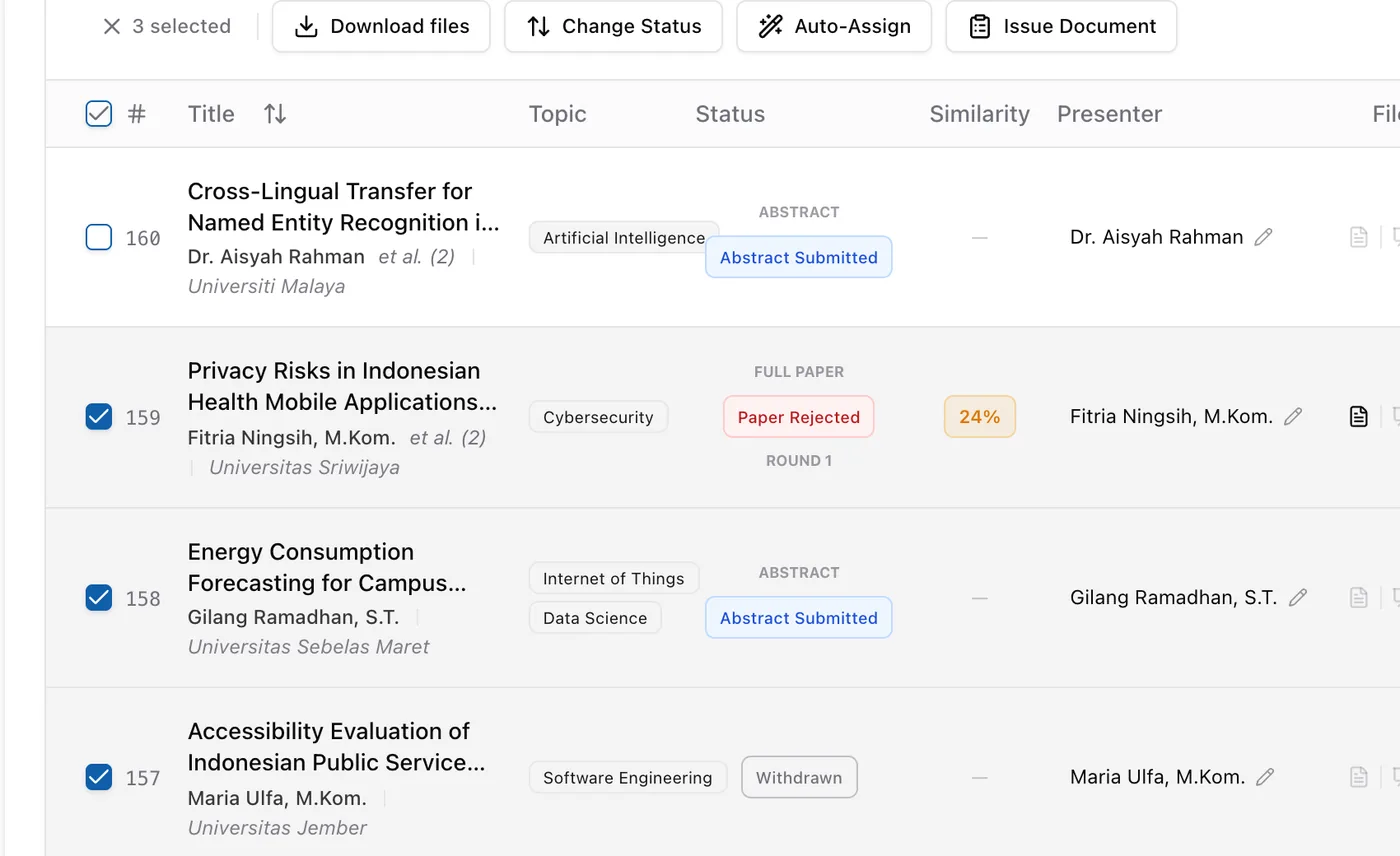
Accept, reject or request revisions for abstracts and papers, one at a time or all at once, then release reviews to authors without reviewer names.
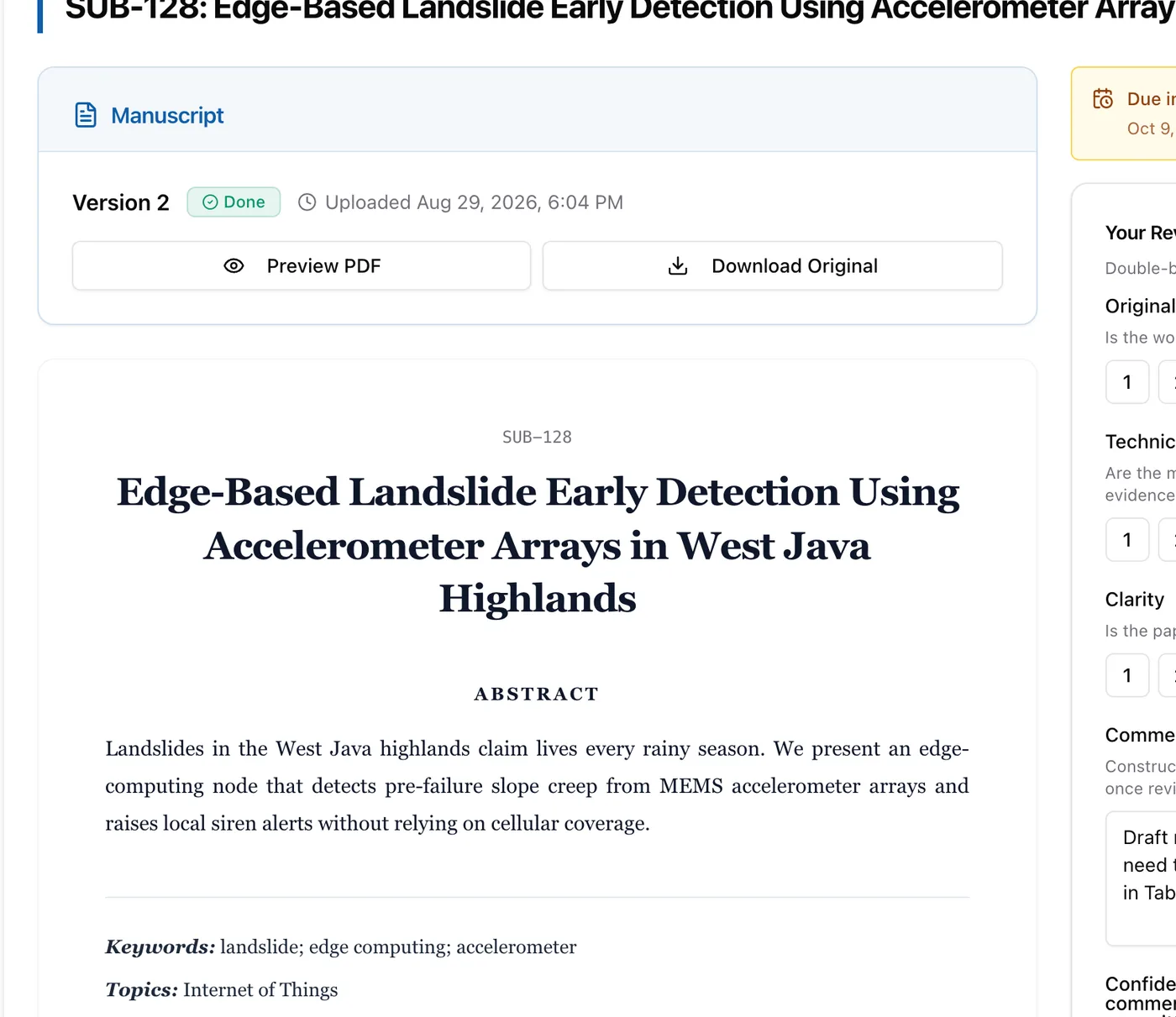
- Different due dates per reviewer
- Record similarity scores and upload the report
- Reviewer expertise tags
- Reviewer attachments
Registration & payment
Registrations and payments that record themselves, with no matching transfer slips one by one.
Early-bird pricing, quotas, registration approval and a paper limit per package, with a registration form you can add fields to.
Participants pay by QRIS, BCA, Mandiri, BNI, BRI or Permata virtual account, e-wallet or PayPal. Paid status is recorded automatically.
Create invoices for every presenter or attendee at once, resend, cancel or refund them, with a PDF for each.
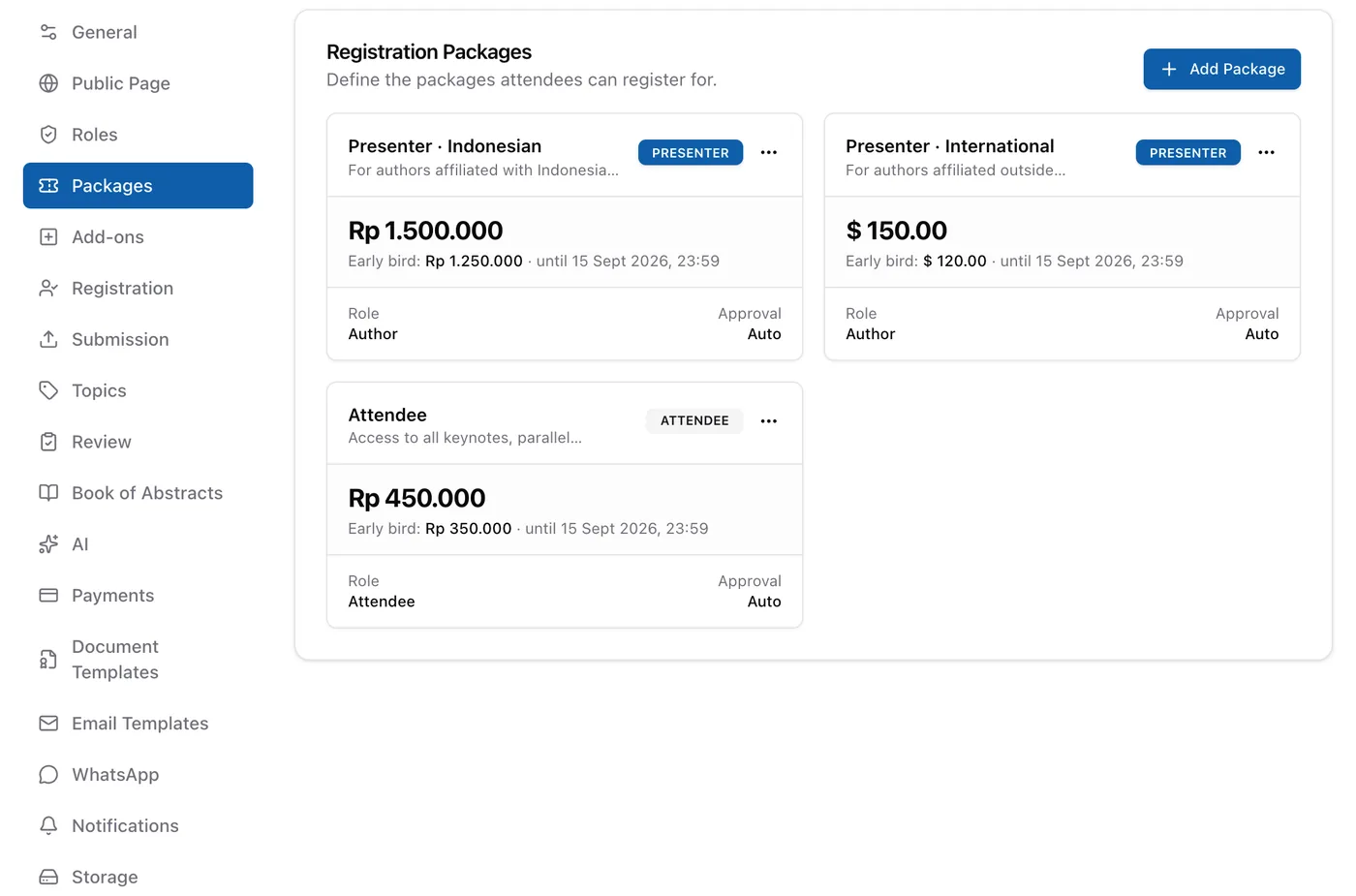
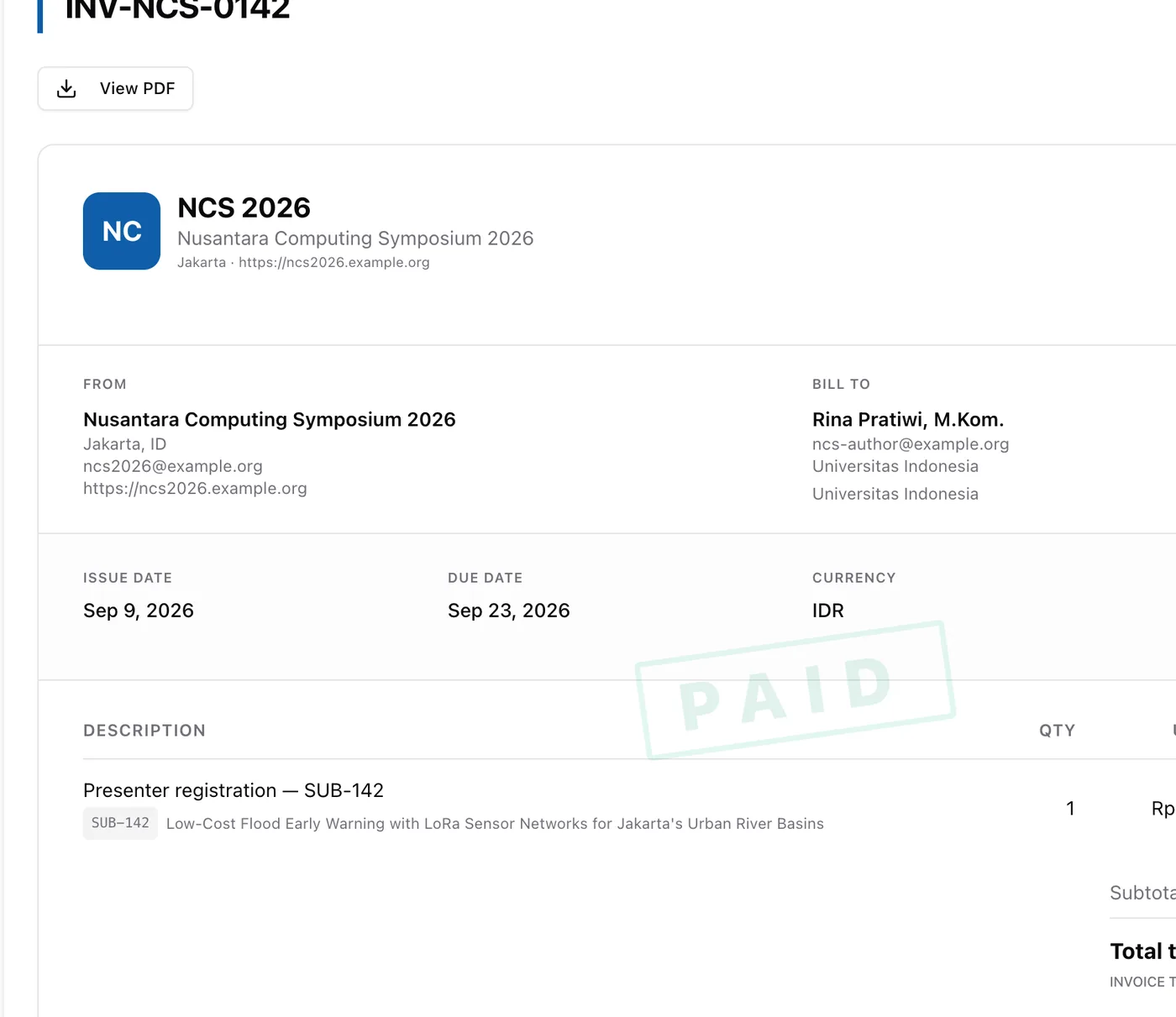
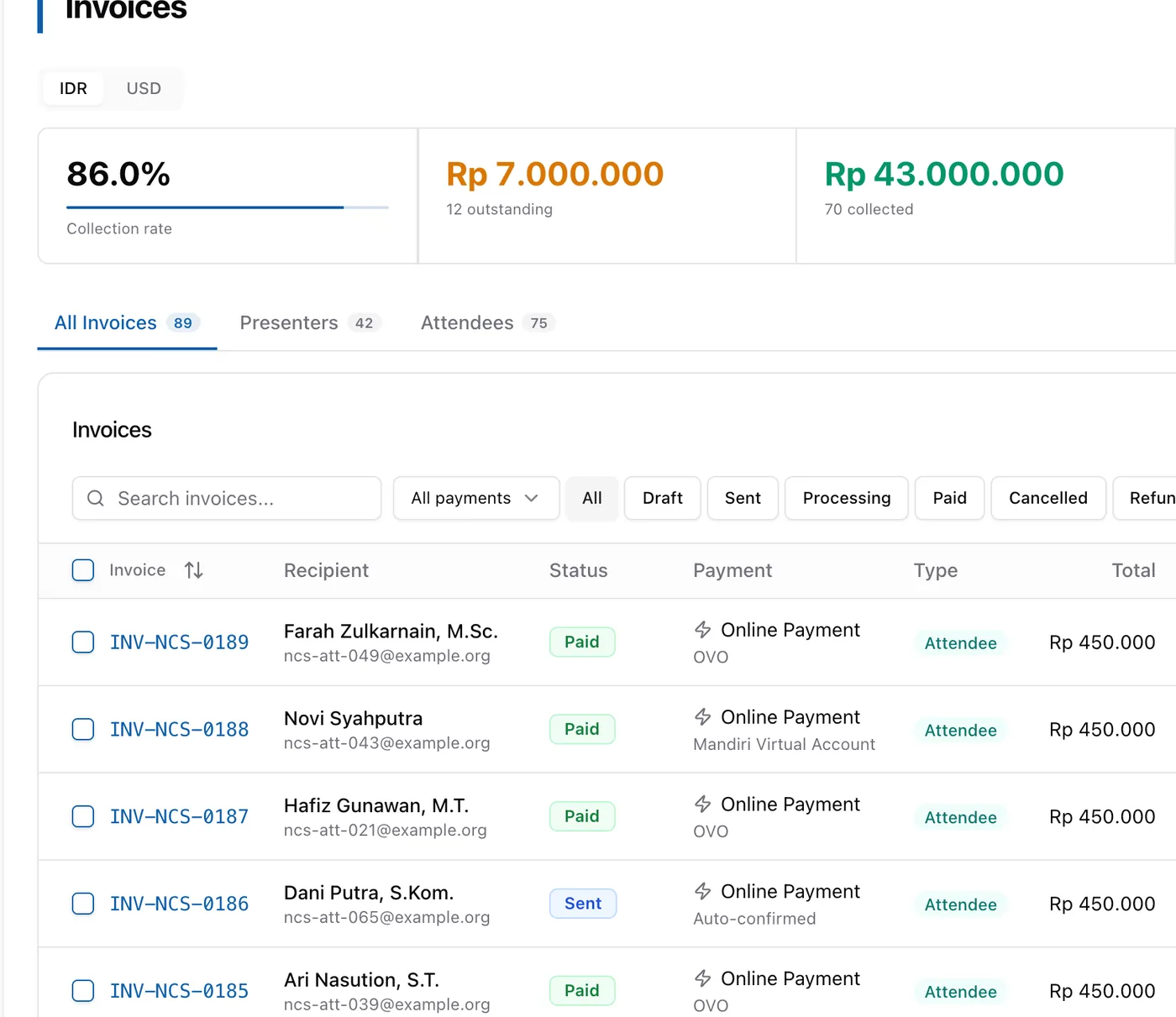
- Manual transfer with proof upload
- Registration terms and conditions
- Balance, transaction history and withdrawals
LoAs, certificates & documents
Official documents in your own design, issued to hundreds of people in one click.
Upload your design as the background, then place fields such as name, paper title and a QR code. Works for abstract and paper LoAs, invitation letters, presenter, attendee, reviewer and committee certificates, and ID cards.
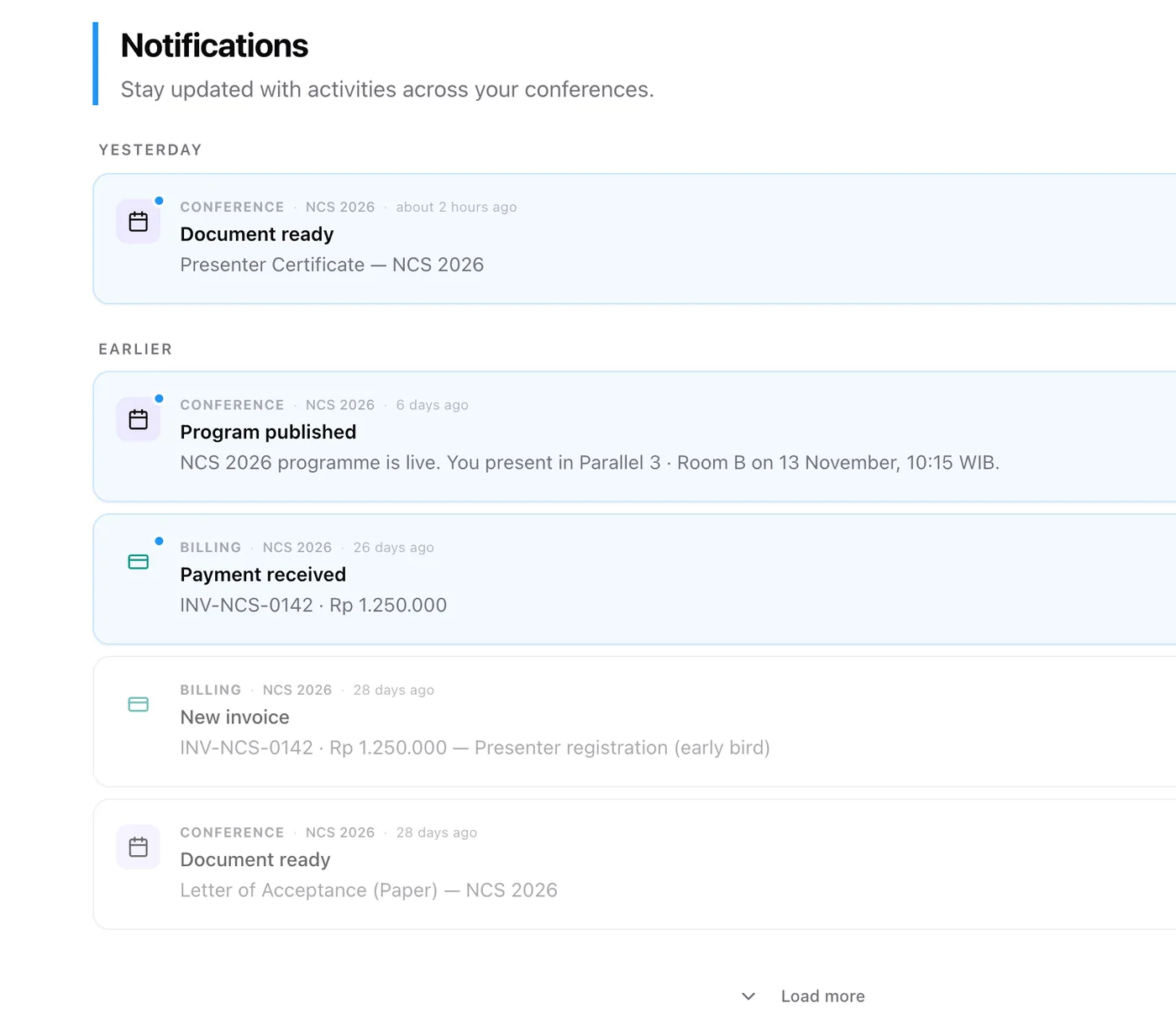
Issue documents to one person or hundreds at once. Recipients are notified right away and can download their own copy.
Every document carries a QR code that leads to a public verification page, so anyone can check that it is genuine.
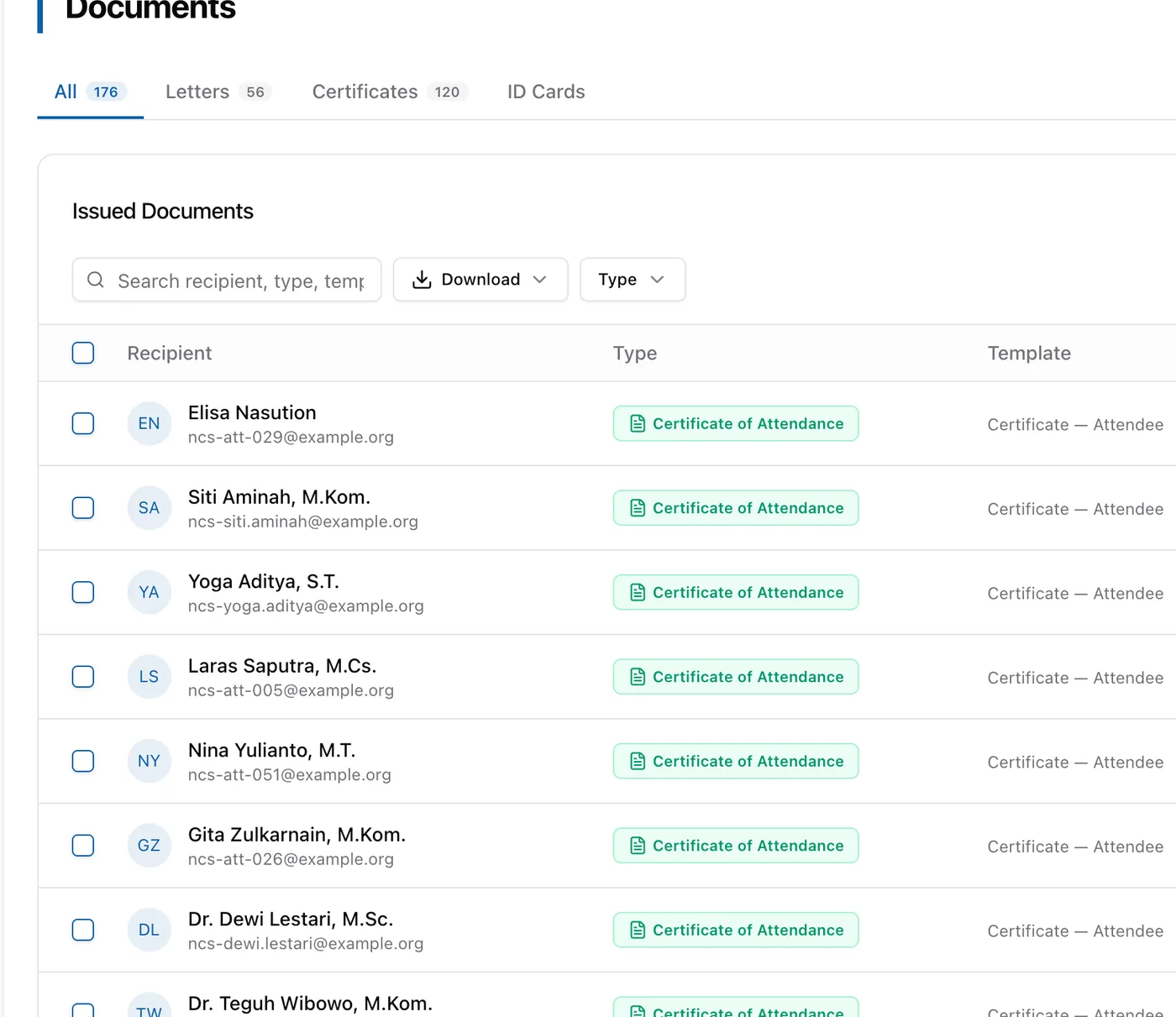
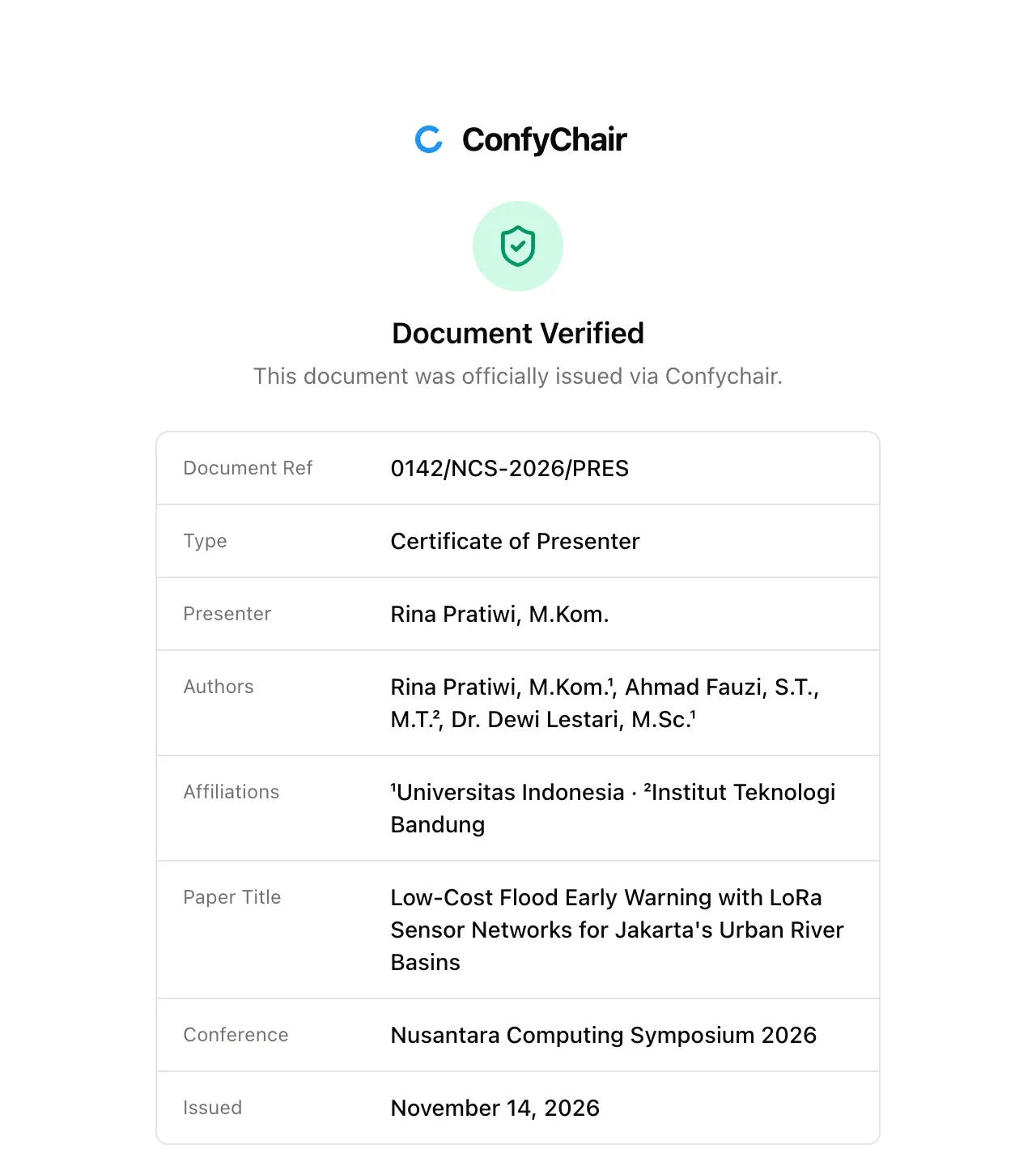
- Digital badge with the participant's QR
- Download every document as a ZIP
- Revoke a document issued by mistake
Event day
Schedule and attendance in one place, for on-site, online and hybrid sessions.
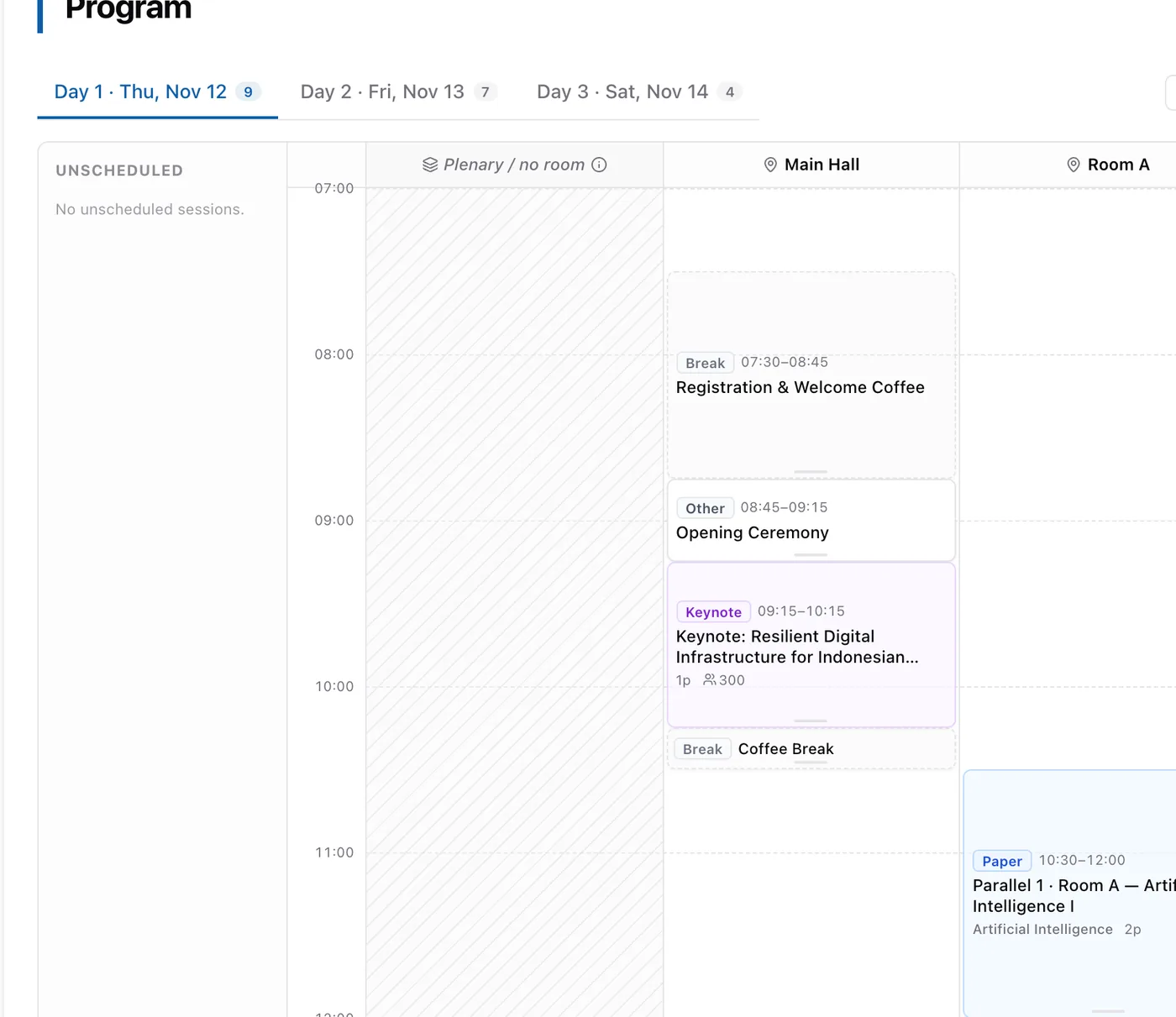
Arrange paper sessions, keynotes, panels and breaks by room, reorder them by dragging, then publish to participants.
Open check-in per session or per day, with capacity and a target audience. Attendees scan the QR at the venue with their own phone.
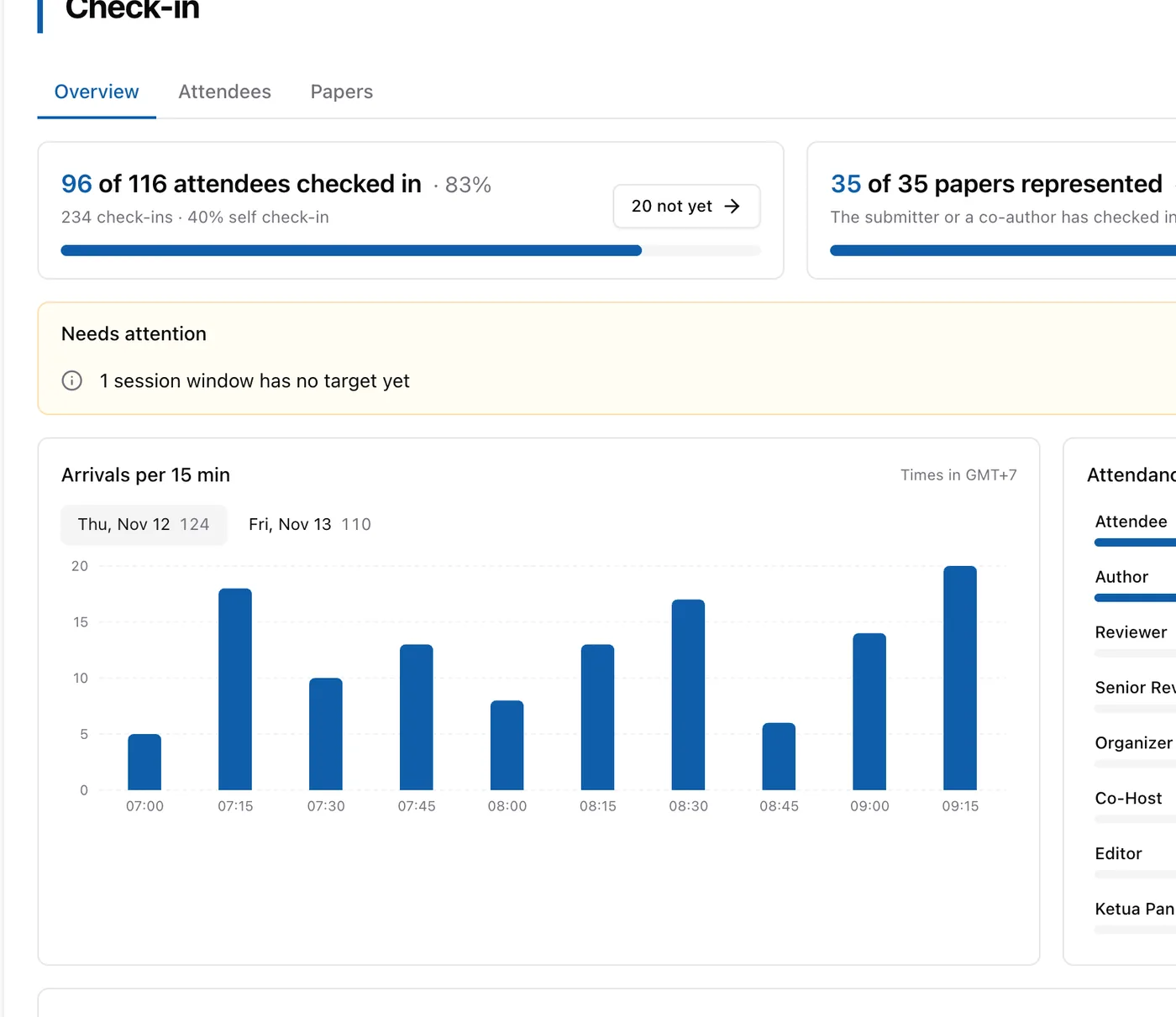
- Manual check-in by staff
- Attendance summary
- On-site, online or hybrid
Ready to publish
Clean publication material for your proceedings publisher or partner journal.
Open and close the camera-ready phase with its own deadline, with a copyright form when you need one.
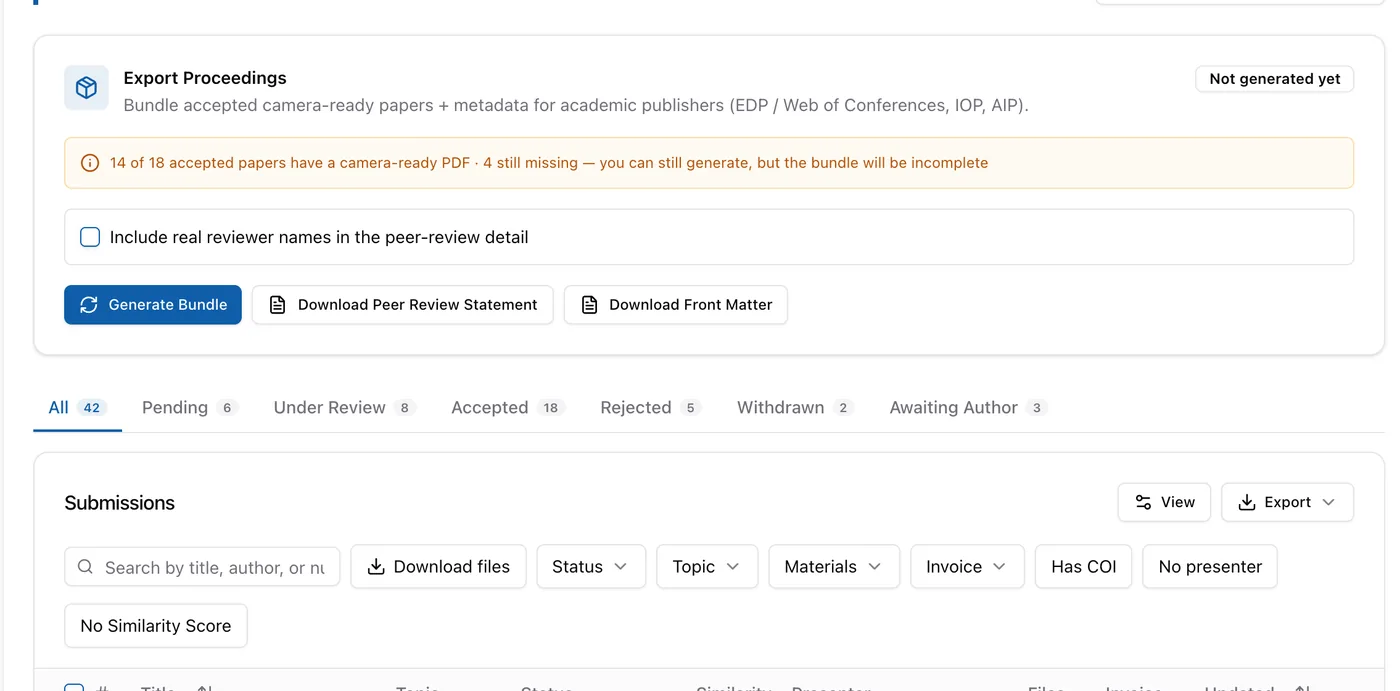
Camera-ready PDFs, metadata.csv (ORCID, affiliations, countries, CRediT, funding, ethics), peer-review data and a manifest, ready for your publisher or partner journal.
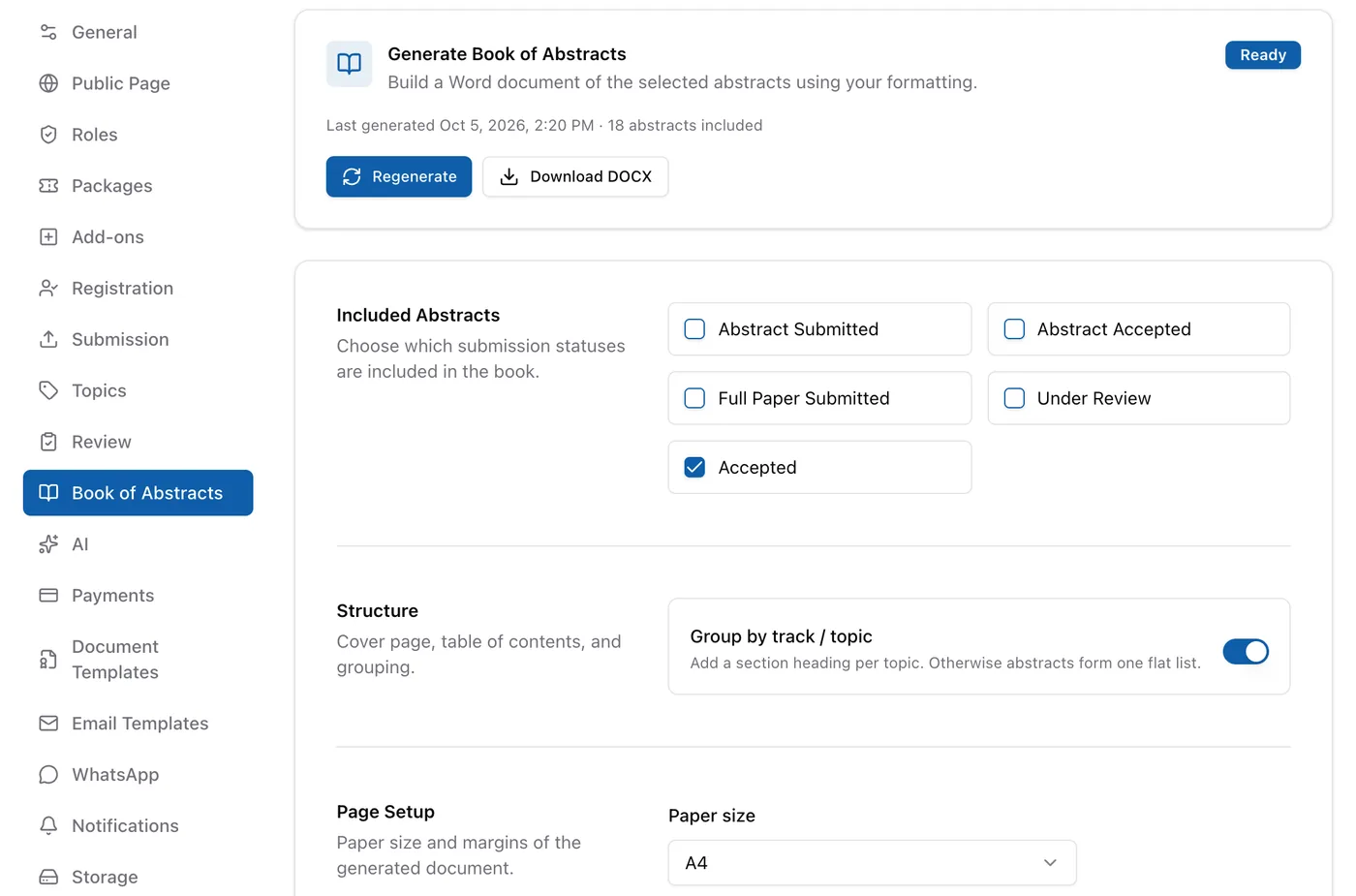
Generate an editable DOCX Book of Abstracts, along with front matter and a peer-review statement.
- CSV export of submissions, authors and members
- Download every paper file as a ZIP
- In-browser camera-ready editor for your internal team
Communication
Participants know the next step without your committee messaging them one by one.
About 90 kinds of notification by email, in-app and push, from submission to the certificate.
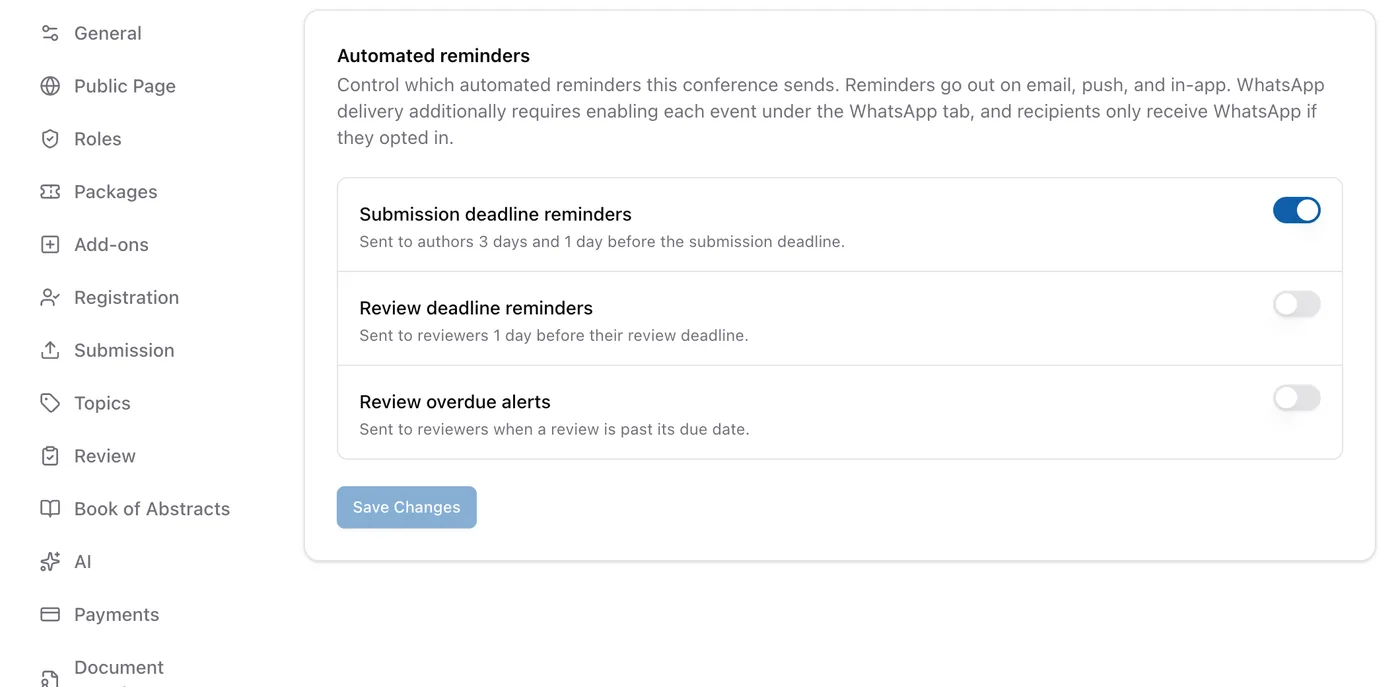
Automatic reminders 3 days and 1 day before the submission deadline, 1 day before the review deadline, and when overdue. Each kind can be switched off.
Paper decisions, review assignments, reminders and invoices go out on WhatsApp from your committee's own number, to participants who opt in.
Send announcements by email or WhatsApp to participants by role, registration status or paper status, now or on a schedule.
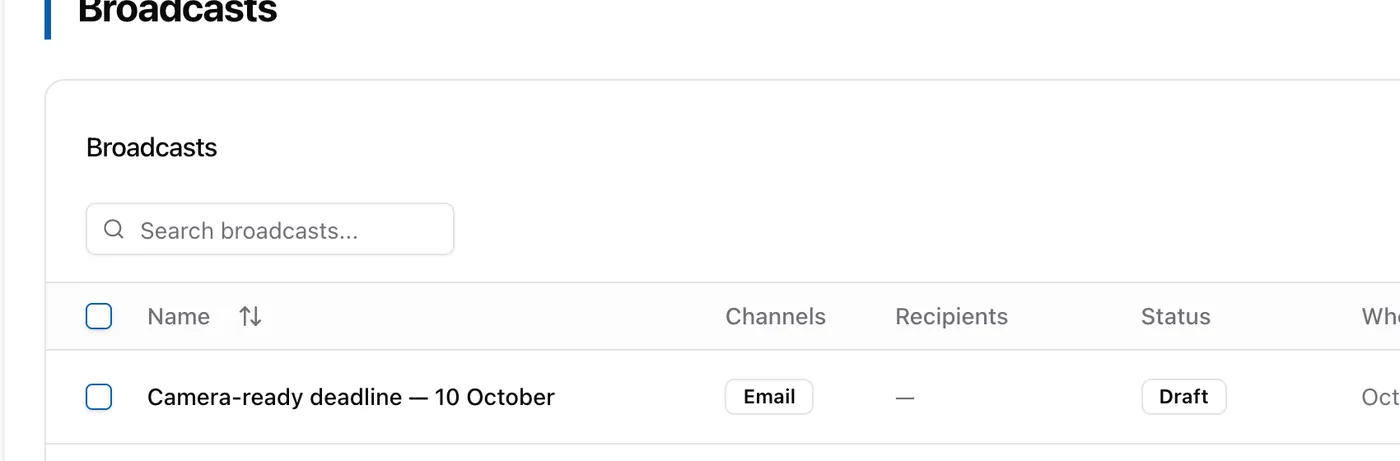
- Email delivery log with resend
- Live chat between committee and participants
- Editable decision and registration-confirmation emails
Team & organization
Share the work with your committee, reviewers and partner campuses, each with the right access.
Create roles with any name, such as General Chair or Senior Reviewer, and pick their permissions one by one.
Limit members to papers from a given affiliation or topic, for conferences run by several campuses.
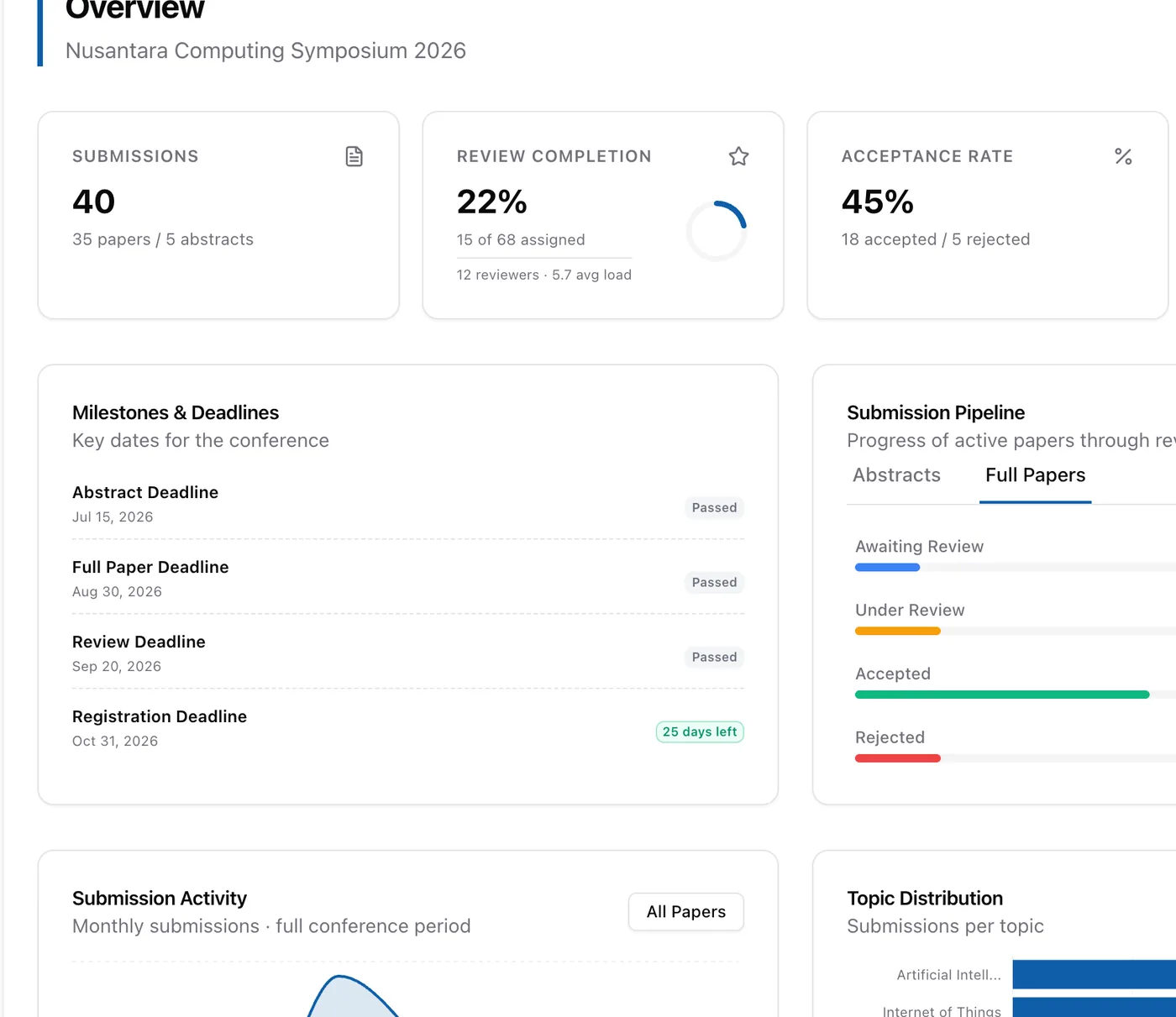
Follow the submission timeline and see participants by country, affiliation and package.
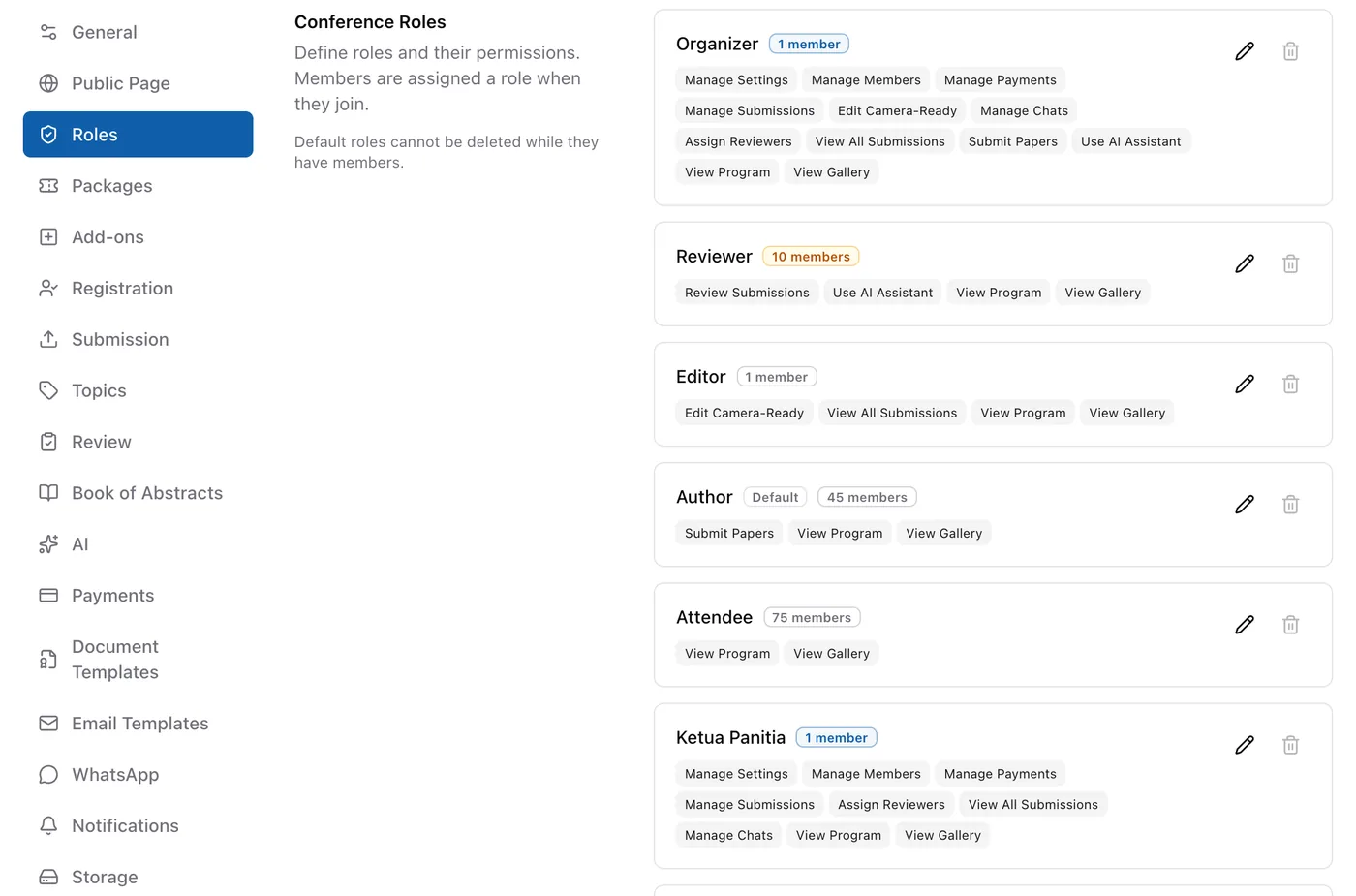
- Invite reviewers and members by link or email
- Organization owners, admins and members
- AI assistant (uses your own API key)
- Storage usage
For authors & reviewers
A clear experience for authors and reviewers means fewer questions for your committee.
Authors and reviewers see papers, review tasks, invoices and notifications from every conference they take part in, in one place.
Follow paper status, review tasks, invoices and chat from a phone, with push notifications. Available on Google Play.
- Installable as a web app
- Sign in with Google
- Help center for authors, reviewers and committees
- Several emails on one account
Ready to run your next conference with confidence?
Join universities and research institutes across Southeast Asia. Set up your first conference in minutes.